Updot help

How can we help?

Short how-to guides for every part of Updot, answers to common questions, and a real person when you need one.

Browse by topic

Popular guides

The questions people ask first.

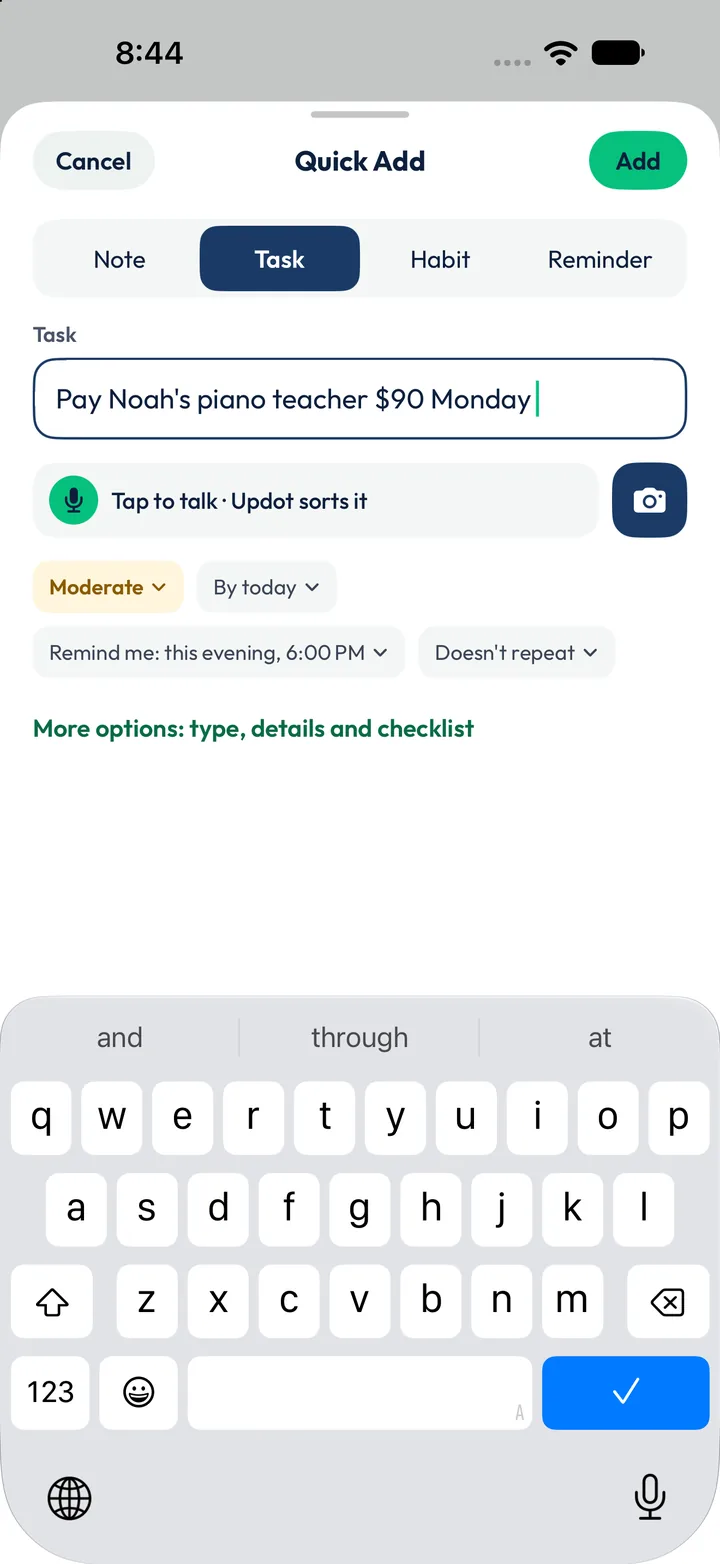
Updot Quick Add screen
Share, say and snap

How do I turn a WhatsApp message into a task?

  1. Copy the message in WhatsApp.
  2. Open Updot and paste it into Quick Add.
  3. Check the date, time and reminder Updot filled in, then add it.
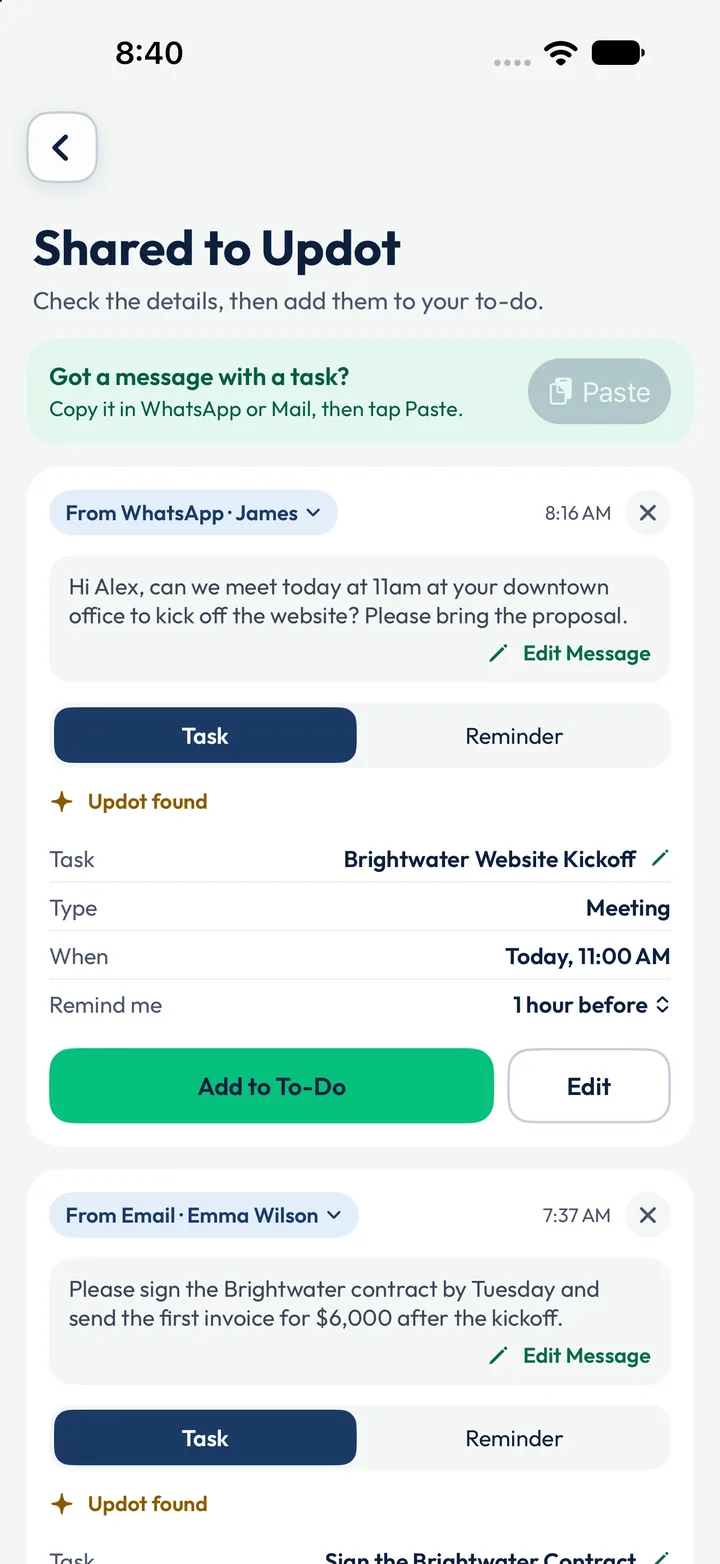
Updot Shared to Updot screen
Share, say and snap

How do I share an email to Updot?

  1. Open the email and tap the Share button.
  2. Choose Updot.
  3. Review the tasks in Shared to Updot, then add the ones you want.
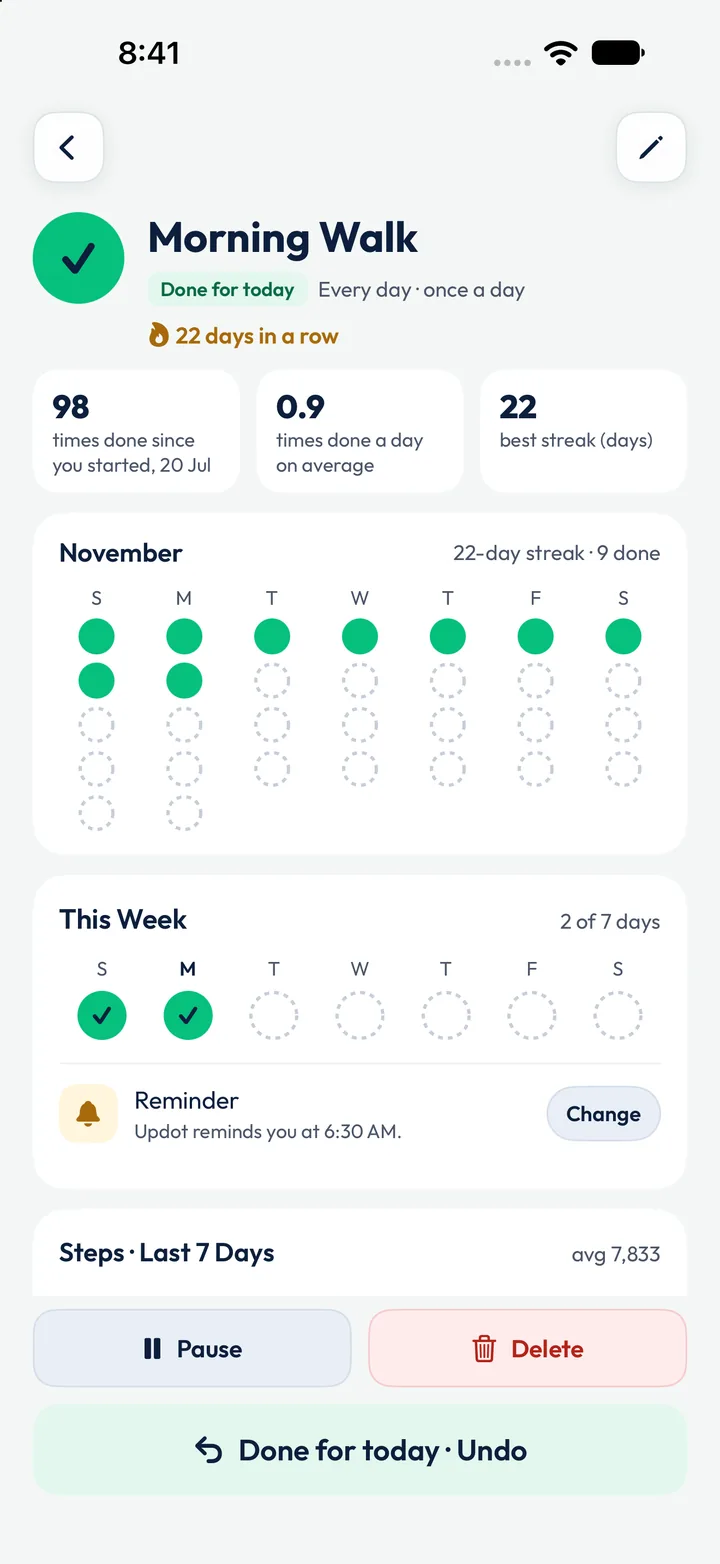
Updot Morning Walk habit ticked by Apple Health
Habits and Apple Health

How does Updot use Apple Health?

  1. Allow Updot to read steps, sleep and workouts when it asks.
  2. Link a habit, like Morning Walk, to a Health goal.
  3. Updot ticks the habit when Health sees you reached it. It never writes to Health.
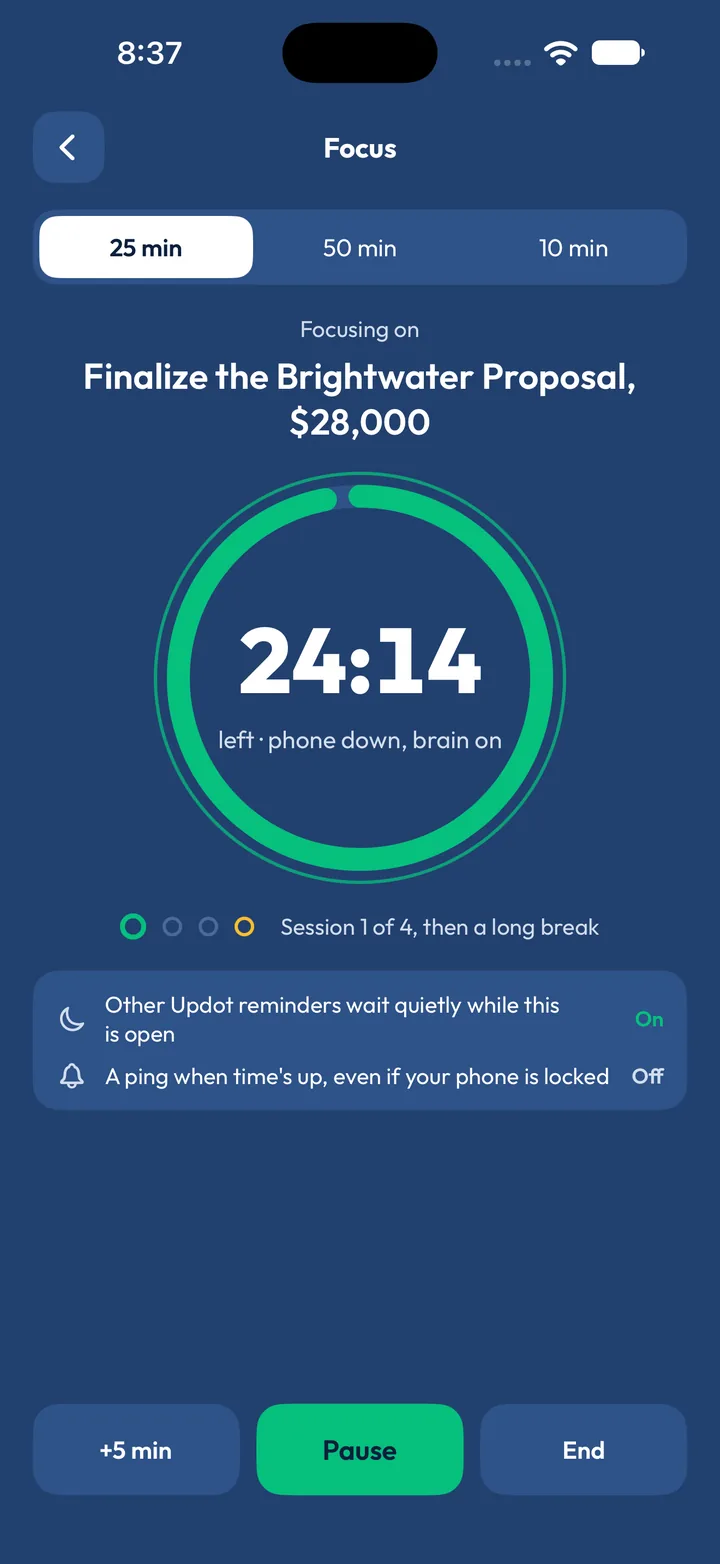
Updot Focus timer
Focus and notes

How do I start a focus session?

  1. Open any task.
  2. Tap Focus and pick 25, 50 or 10 minutes.
  3. Other Updot reminders wait until the session ends.
To-do and reminders

How do I get reminded when I reach a place?

  1. Open a task or reminder and add a place.
  2. Allow Updot to use your location when it asks.
  3. Updot reminds you when you get there, with what to bring.
Subscription and billing

How do I cancel my subscription?

  1. Open iPhone Settings and tap your name.
  2. Tap Subscriptions, then Updot.
  3. Cancel at least a day before your free week ends and you won’t be charged.
Share, say and snapHow do I turn a WhatsApp message into a task?
  1. 1Copy the message in WhatsApp.
  2. 2Open Updot and paste it into Quick Add.
  3. 3Check the date, time and reminder Updot filled in, then add it.
Updot Quick Add screen
Share, say and snapHow do I share an email to Updot?
  1. 1Open the email and tap the Share button.
  2. 2Choose Updot.
  3. 3Review the tasks in Shared to Updot, then add the ones you want.
Updot Shared to Updot screen
Habits and Apple HealthHow does Updot use Apple Health?
  1. 1Allow Updot to read steps, sleep and workouts when it asks.
  2. 2Link a habit, like Morning Walk, to a Health goal.
  3. 3Updot ticks the habit when Health sees you reached it. It never writes to Health.
Updot Morning Walk habit ticked by Apple Health
Focus and notesHow do I start a focus session?
  1. 1Open any task.
  2. 2Tap Focus and pick 25, 50 or 10 minutes.
  3. 3Other Updot reminders wait until the session ends.
Updot Focus timer
To-do and remindersHow do I get reminded when I reach a place?
  1. 1Open a task or reminder and add a place.
  2. 2Allow Updot to use your location when it asks.
  3. 3Updot reminds you when you get there, with what to bring.
Subscription and billingHow do I cancel my subscription?
  1. 1Open iPhone Settings and tap your name.
  2. 2Tap Subscriptions, then Updot.
  3. 3Cancel at least a day before your free week ends and you won’t be charged.
Questions

Answers about Updot

What it does, what it costs and how your data stays on your iPhone.

01What is Updot?

Updot is an AI day planner for iPhone, made by Upspell. It keeps your habits, to-do list, reminders, calendar, notes and focus timer in one app, and turns messages, voice notes and photos into tasks.

02What makes Updot different from other habit trackers and day planners?

Most people use separate apps for habits, to-dos, reminders, notes and focus. Updot puts them in one app, so they work together. It also turns a WhatsApp message, an email, a voice note or a photo into a task with the date and reminder already set. All of its AI runs on your iPhone, with no account, and Updot uploads nothing.

03What can Updot do?

Track daily habits and streaks, manage a to-do list with due dates, set repeating and place reminders, show your whole day as a timeline, take notes that find their own to-dos, run focus sessions, tick habits from Apple Health, and show your progress by day, week, month and year.

04How much does Updot cost?

Updot is $2.99 a month or $19.99 a year in the US, after a 7-day free trial. The App Store shows the price in your local currency.

05Is Updot a habit tracker or a to-do list app?

Both. Updot combines a habit tracker, a to-do list, reminders, notes and a focus timer, so you don’t need separate apps for each.

06Which iPhones work with Updot?

Any iPhone with iOS 26 or later. The AI reading of messages, voice and photos uses Apple Intelligence, so that part needs an iPhone that supports it, with Apple Intelligence turned on. On other iPhones, Updot still finds dates, times and places with its built-in rules.

07Do my messages leave my phone?

No. Updot reads what you paste or photograph on your iPhone, and nothing is sent to Upspell or anyone else. Voice notes are turned into text by Apple’s speech recognition, on your iPhone when it supports it; Updot never receives your voice.

08Does it work with WhatsApp?

Yes. Copy a message in WhatsApp or WhatsApp Business and paste it into Updot. You can also send a task to someone on WhatsApp.

09How do I cancel?

Open iPhone Settings, tap your name, then Subscriptions, and choose Updot. Cancel at least a day before your free week ends and you will not be charged.

10Is there an Android version?

Not yet. Updot is made for iPhone first.

Still stuck? Write to us.

Tell us what you were trying to do and what happened. A real person at Upspell reads every email.

[email protected]

Before you write

  • 1Update to the latest Updot from the App Store.
  • 2Check that Updot is allowed to send notifications in iPhone Settings.
  • 3Tell us your iPhone model and iOS version, and add a screenshot if you can.