A focus timer for the task that matters most.
Updot Focus timer is part of Updot, the iPhone app for your habits, to-do list, reminders, calendar, notes and focus timer. Start a session straight from a task. Pick 25, 50 or 10 minutes, put the phone down, and Updot keeps its other reminders quiet until you’re done.
The big task is the easiest one to put off.
The Brightwater proposal is worth $28,000 and due at 10:30 AM. It’s also the task Alex keeps sliding past while the inbox fills up. A separate timer app doesn’t know which task matters, or that his reminders will keep buzzing.
Timer and task in two apps
Sessions start from the task, so the timer always knows what you’re working on.
Pings break the flow
Other Updot reminders wait quietly until the session ends.
No sense of progress
Focus minutes add up next to your habits and tasks, week by week.
From the task to calm minutes in three steps.
- 1
Start from the task
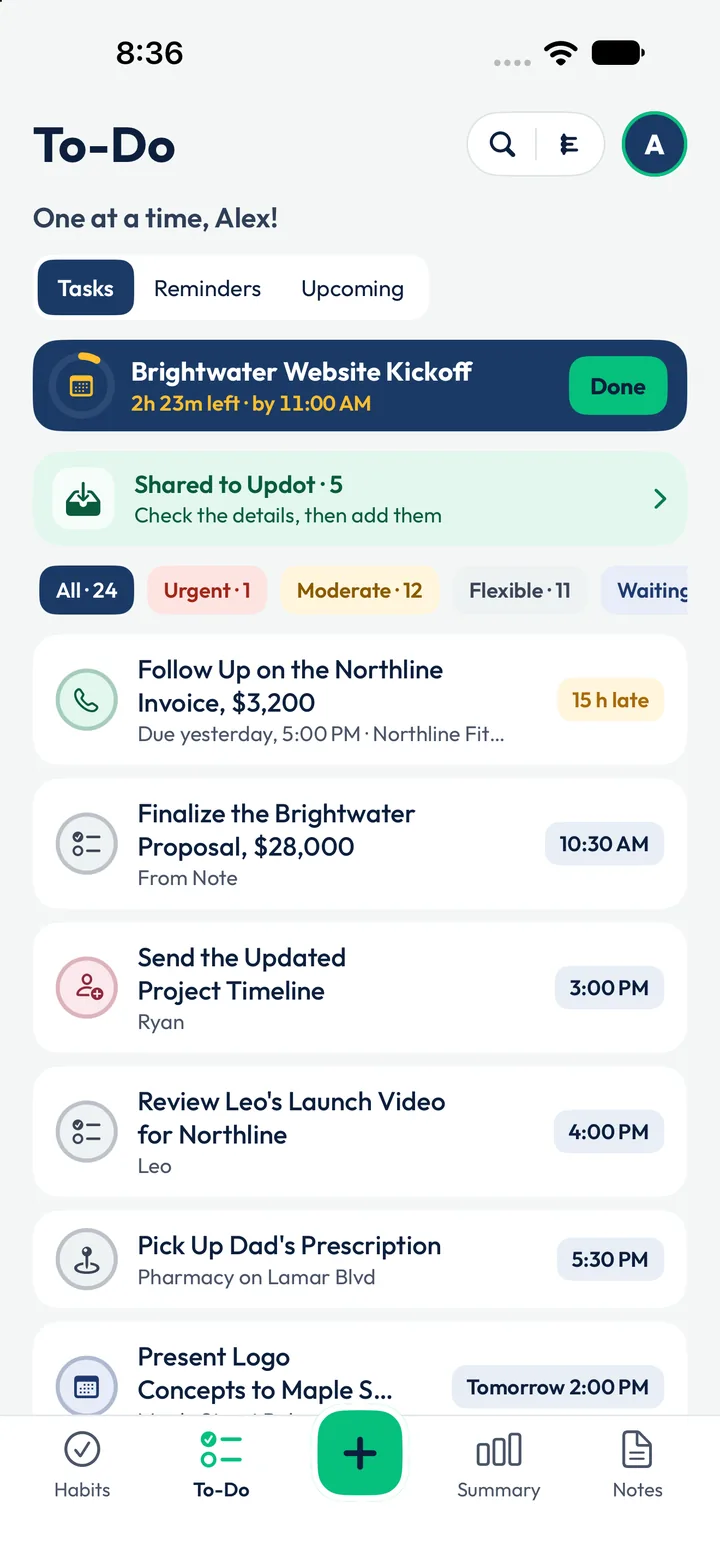
Finalize the Brightwater Proposal, $28,000, due 10:30 AM, sits on Alex’s list. One tap opens a focus session for it.
- 2
Pick a length, phone down
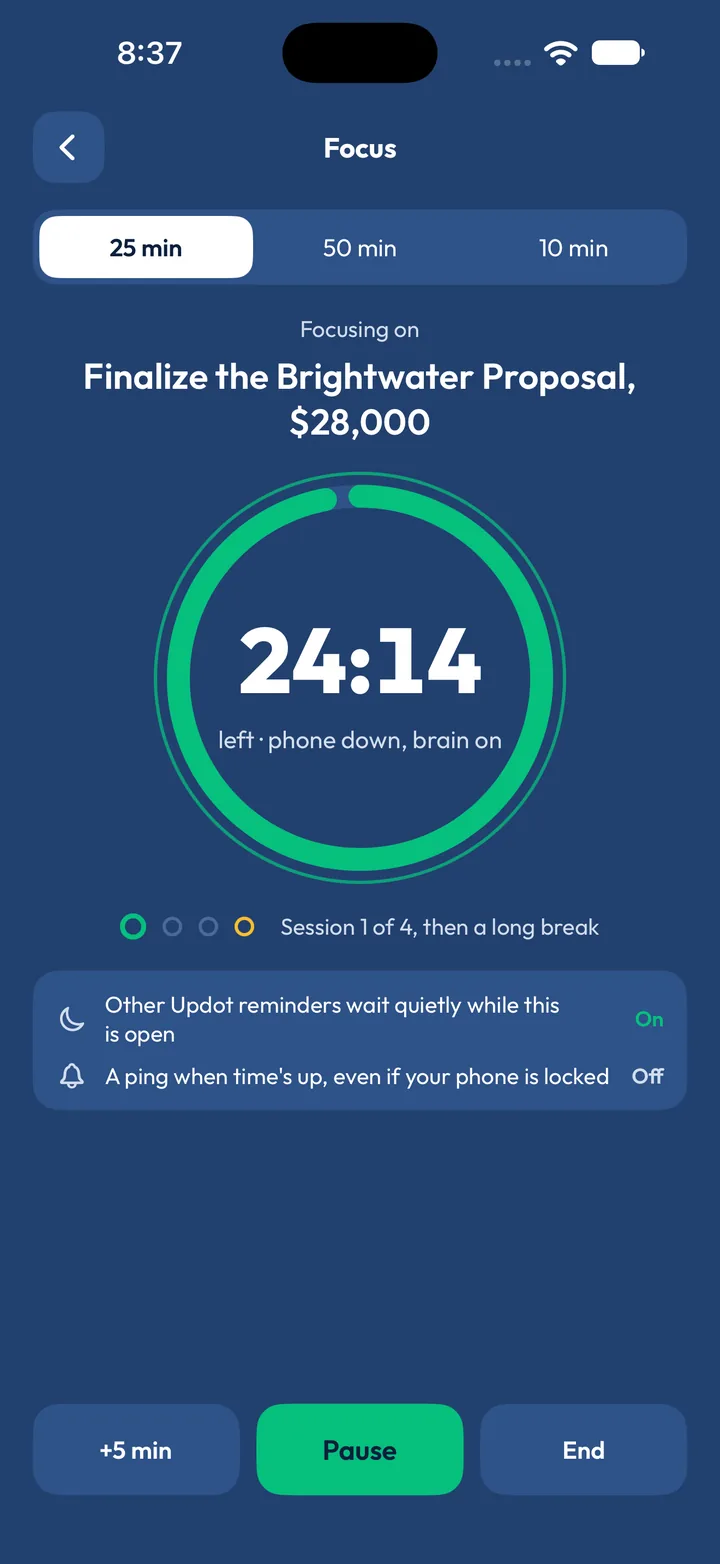
25, 50 or 10 minutes. Session 1 of 4, then a long break. Other Updot reminders wait quietly while it’s open; add 5 minutes, pause or end.
- 3
Watch the minutes add up
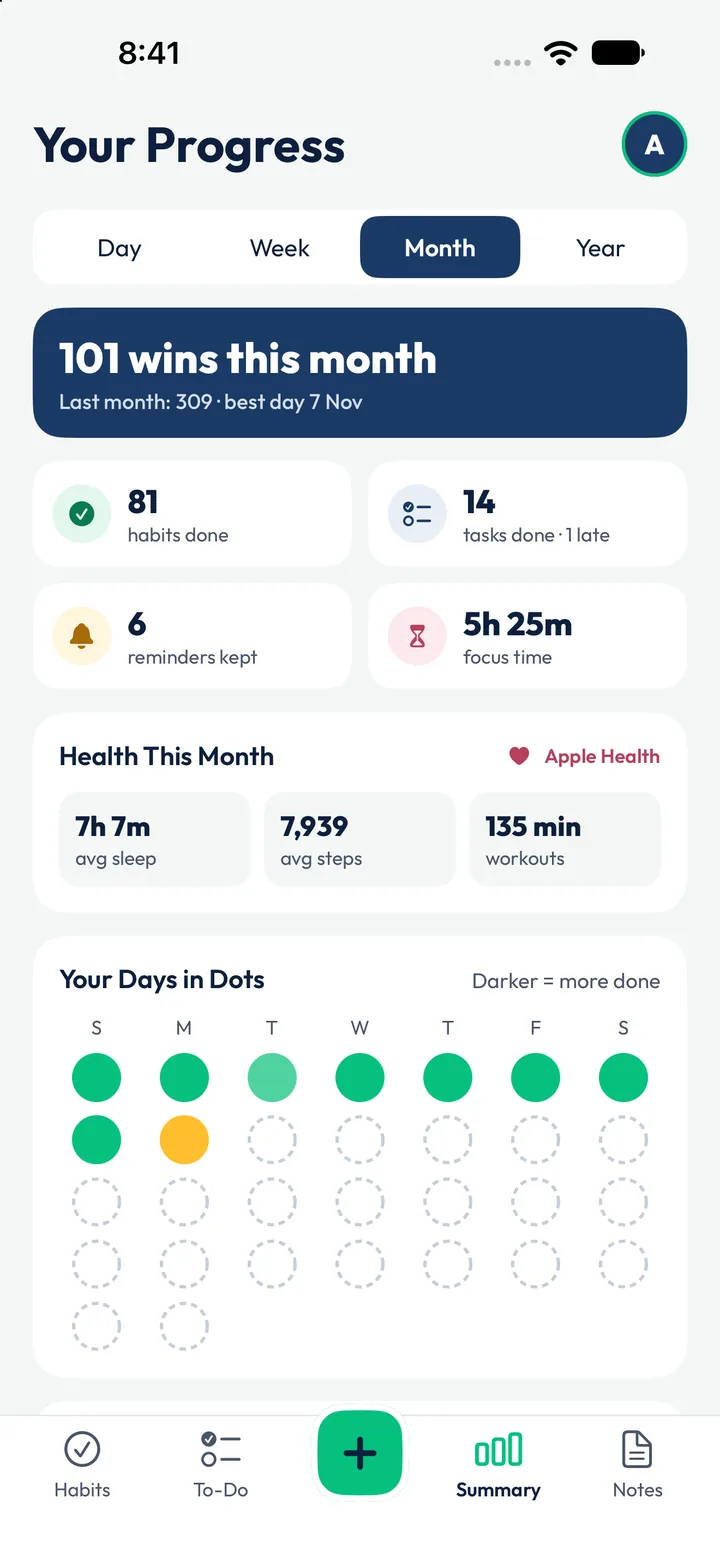
Every session goes into Your Progress: 5h 25m of focus time this November, next to 81 habits and 14 tasks done.
Alex’s 10:30 AM session, as Updot runs it.
One task, one timer, nothing else pinging. When it ends, the reminders that waited arrive and the minutes go into his progress.
- Finalize the Brightwater Proposal$28,000 · due 10:30 AMTask
- 25-minute session24:14 left · “phone down, brain on”Now
- Session 1 of 4Then a long breakRhythm
- Other Updot reminders wait quietlyWhile the session is openOn
- A ping when time’s up, even if lockedTurn it on if you want itYour choice
- Focus time this month5h 25m in NovemberProgress
A timer that knows your tasks and your reminders.
Starts from your to-do list
No retyping: the session takes the task’s name, and finishing it ticks the task off.
Reminders wait their turn
The 10:20 AM proposal reminder comes first; the rest hold until the session ends.
Counted with your habits
Focus minutes sit next to habit wins in Your Progress: 101 wins this month.
Your notes, one tap away
The kickoff note with James’s ask is linked to the task, so what you need is already there.
Alex’s Monday, seen from the Focus timer.
The same day runs through all five Updot apps. The row in full colour is Alex’s focus session; everything around it can wait. Tap an app to see its side of the day.
- 6:30 AMMorning Walk reminder. Apple Health ticks the walk at 4,860 stepsHabit trackerReminders
- 7:25 AMWrites the Brightwater Kickoff note. Updot finds 3 action itemsNotesTo-do list
- 7:37 AMEmma’s email becomes “Sign the Brightwater Contract”To-do listReminders
- 8:16 AMJames’s WhatsApp becomes the 11:00 AM kickoff, reminder 1 hour beforeRemindersTo-do list
- 9:30 AMWeekly Team Stand-up, every MondayReminders
- 10:00 AMDrink Water is next. 6 of 11 habits already doneHabit tracker
- 10:20 AMReminder: the $28,000 proposal is due at 10:30 AMRemindersTo-do list
- 10:30 AM25 minutes on the proposal, phone down. Other reminders waitFocus timerTo-do list
- 11:00 AMBrightwater Website Kickoff, linked to the morning noteTo-do listNotes
- 3:00 PMSend Ryan the updated project timeline, from the noteTo-do listNotes
- 4:00 PMReview Leo’s launch video for Northline, reminder at 3:50 PMTo-do listReminders
- 5:30 PMPick up Dad’s prescription. A ping near the pharmacy on Lamar BlvdRemindersTo-do list
- 7:30 PMFamily Dinner, No PhonesHabit tracker
- 8:00 PMRemind Dad: Evening Pills, every dayReminders
- 10:15 PMWind Down: Phone on the ChargerRemindersHabit tracker
01Is this a Pomodoro timer?+
It works like one: 25 minutes on, a short break, and a long break after 4 sessions. You can also pick 50 or 10 minutes.
02Will reminders interrupt me?+
Other Updot reminders wait quietly during a session. You can turn that off.
03Can it ping me when time’s up if my phone is locked?+
Yes. It’s a switch you turn on.
04Can I add time or pause?+
Yes. Add 5 minutes at a time, pause, or end the session early.
05Where does my focus time go?+
Into Your Progress, alongside your habits and tasks: Alex has 5h 25m this November.
Let’s rise, one dot at a time.
Leave your email and we’ll send you Updot the day it’s on the App Store.
One email on launch day. No spam, unsubscribe any time.