One app for
your whole day.
Updot is an iPhone app that keeps your habits, to-do list, reminders, calendar, notes and focus timer in one place. Share a message, say a thought or type it once, and Updot puts it where it belongs.

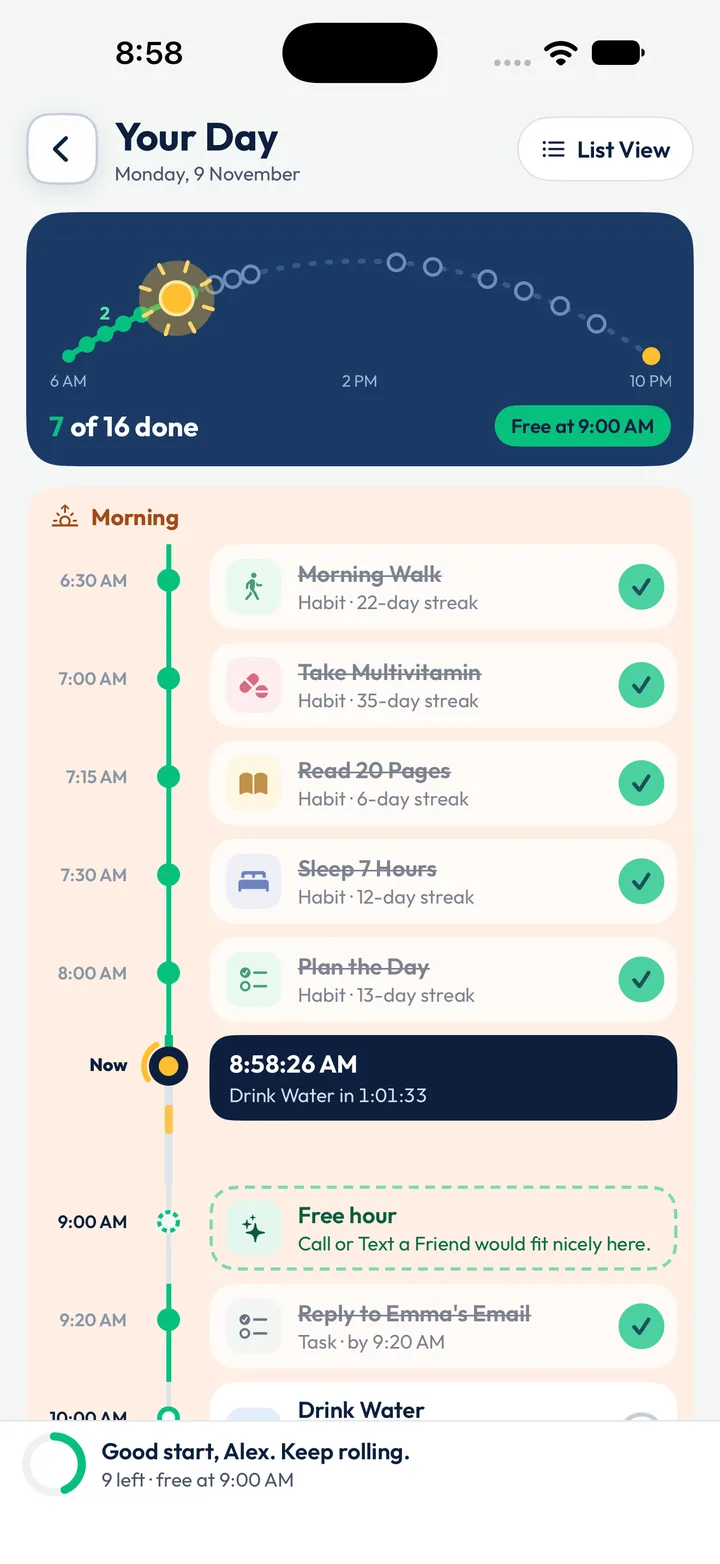
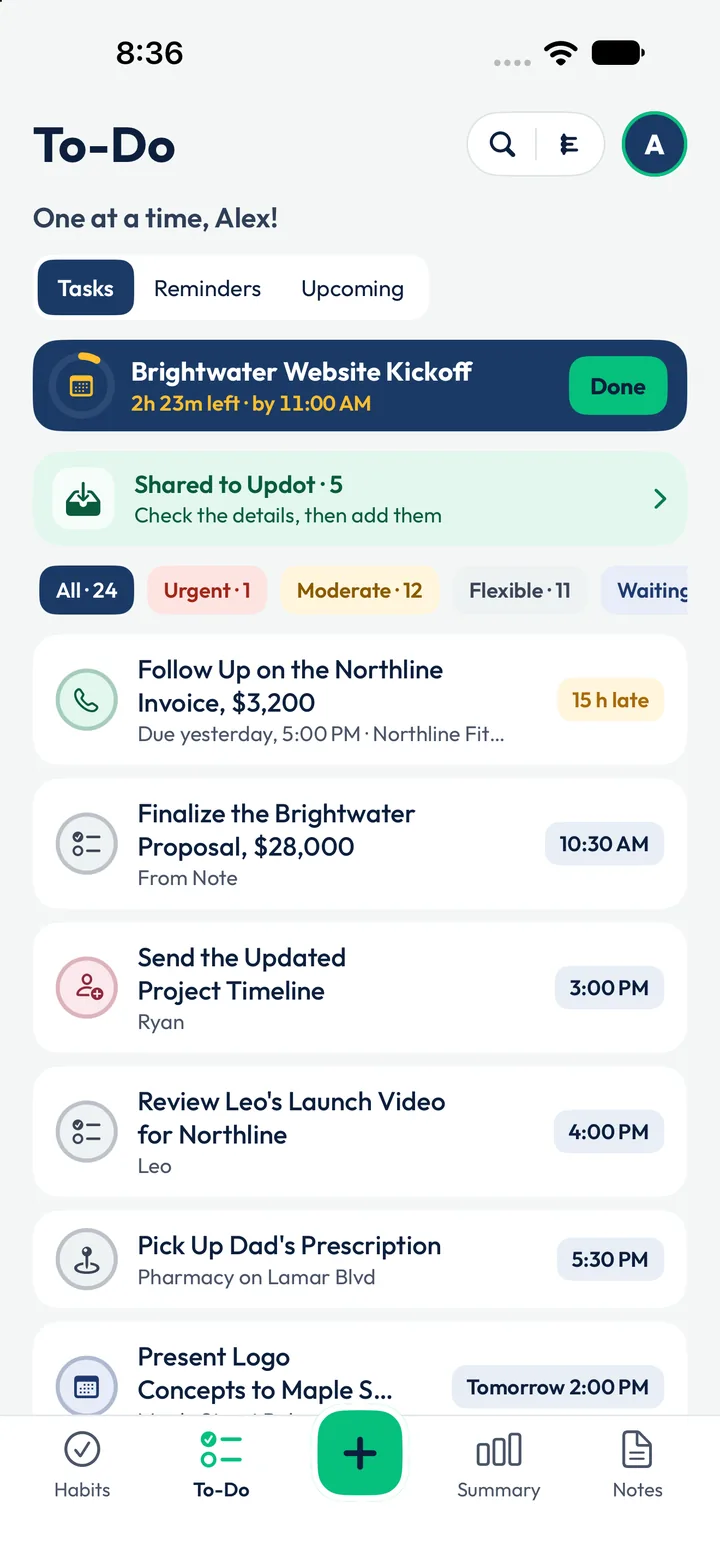
Five apps on your phone.
One is enough.
Updot replaces five apps: a habit tracker, a to-do list, a notes app, a focus timer and a reminders app. Because it's one app, they work together. A finished task counts in your daily recap, and a calendar meeting can add a “prepare for” task.
A studio to run, two kids, one app.
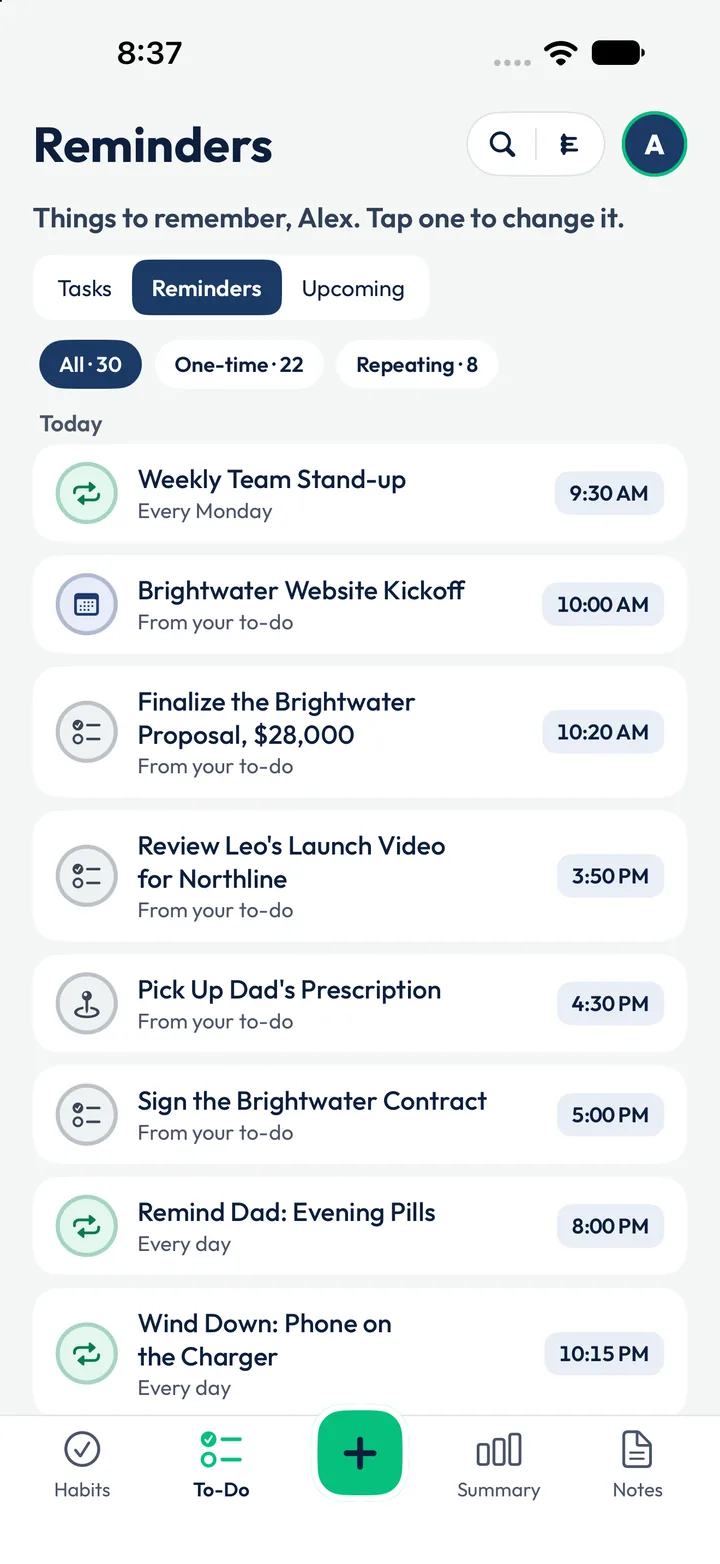
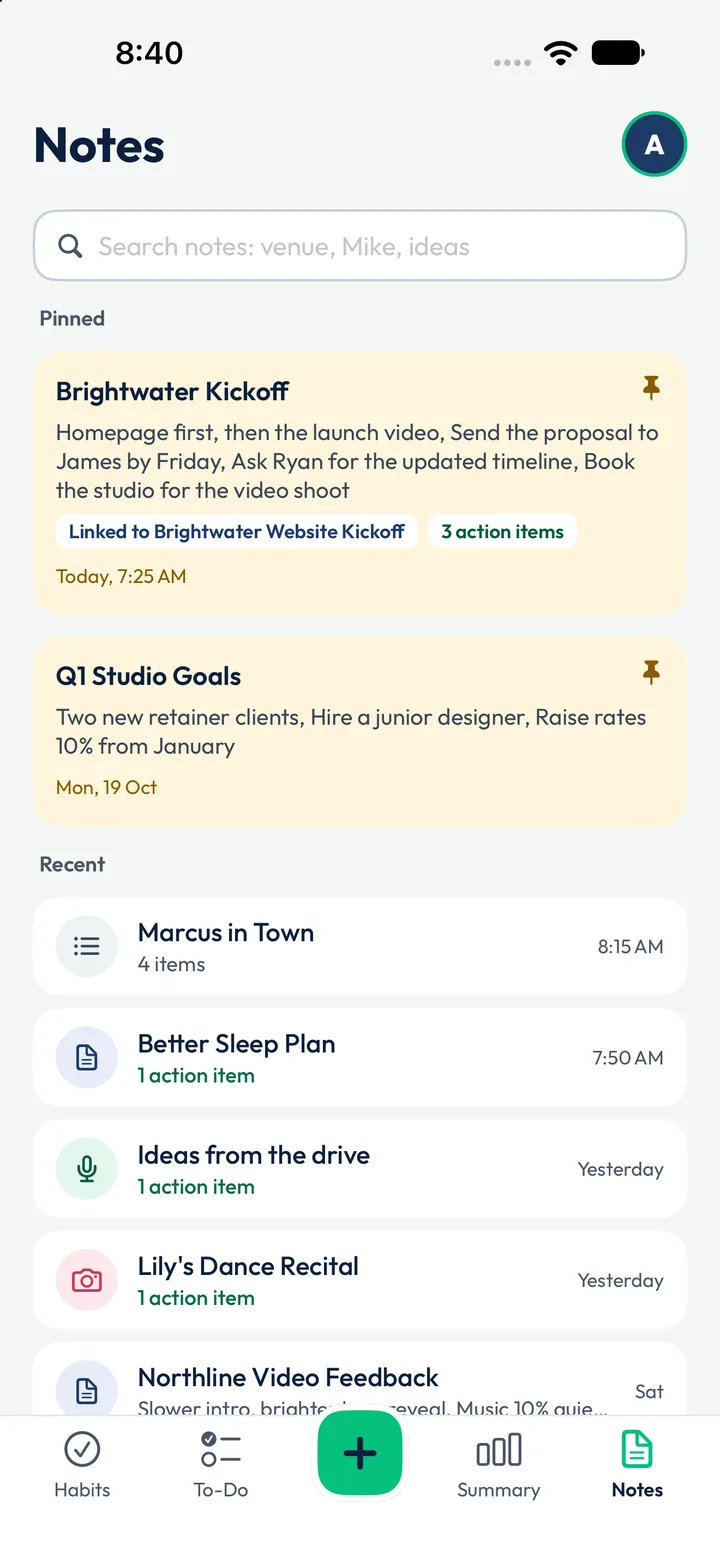
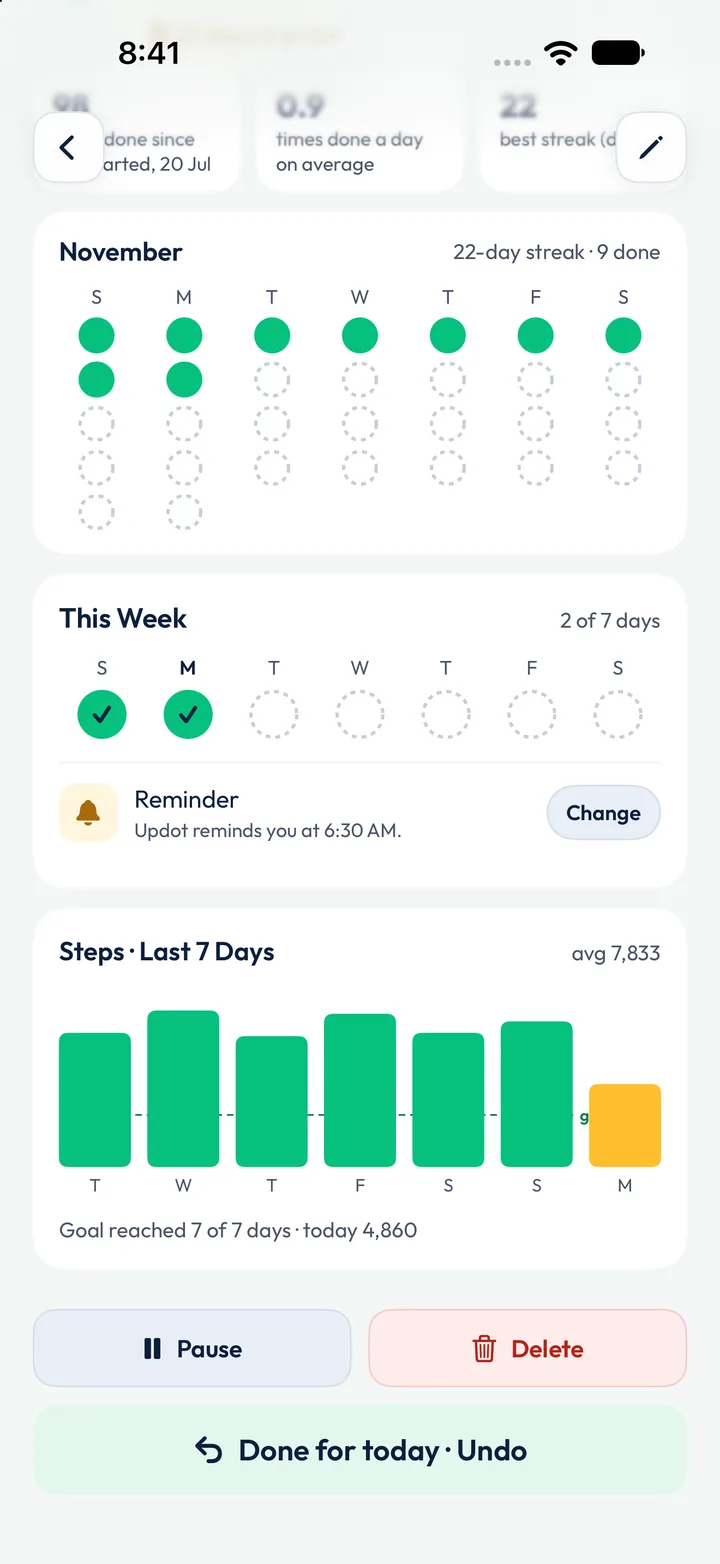
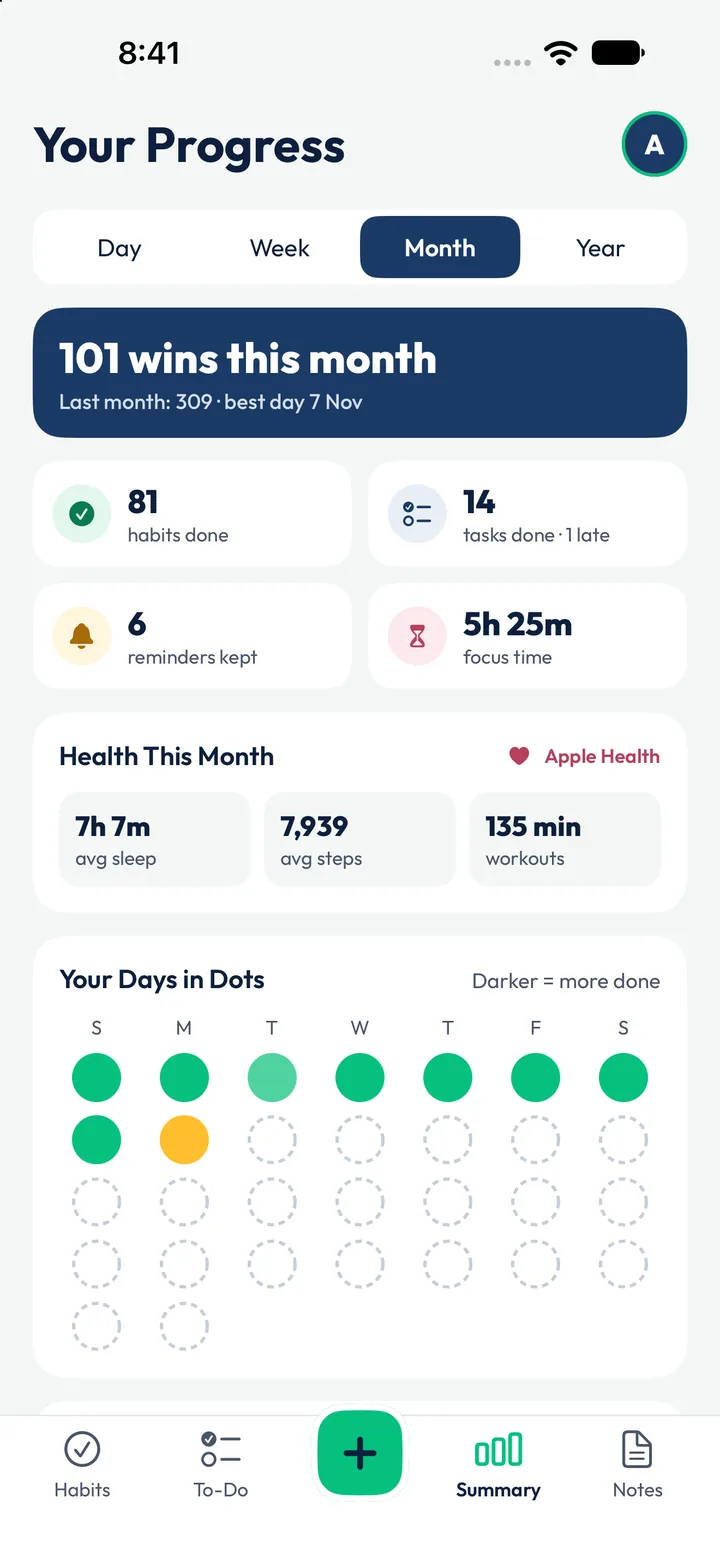
Updot includes a focus timer, repeating reminders, notes that find their own to-dos, habits that Apple Health ticks for you, and progress you can see by day, week, month and year. These are real screens from Alex’s Monday: he runs a small design studio and still makes it to family dinner.
See every feature →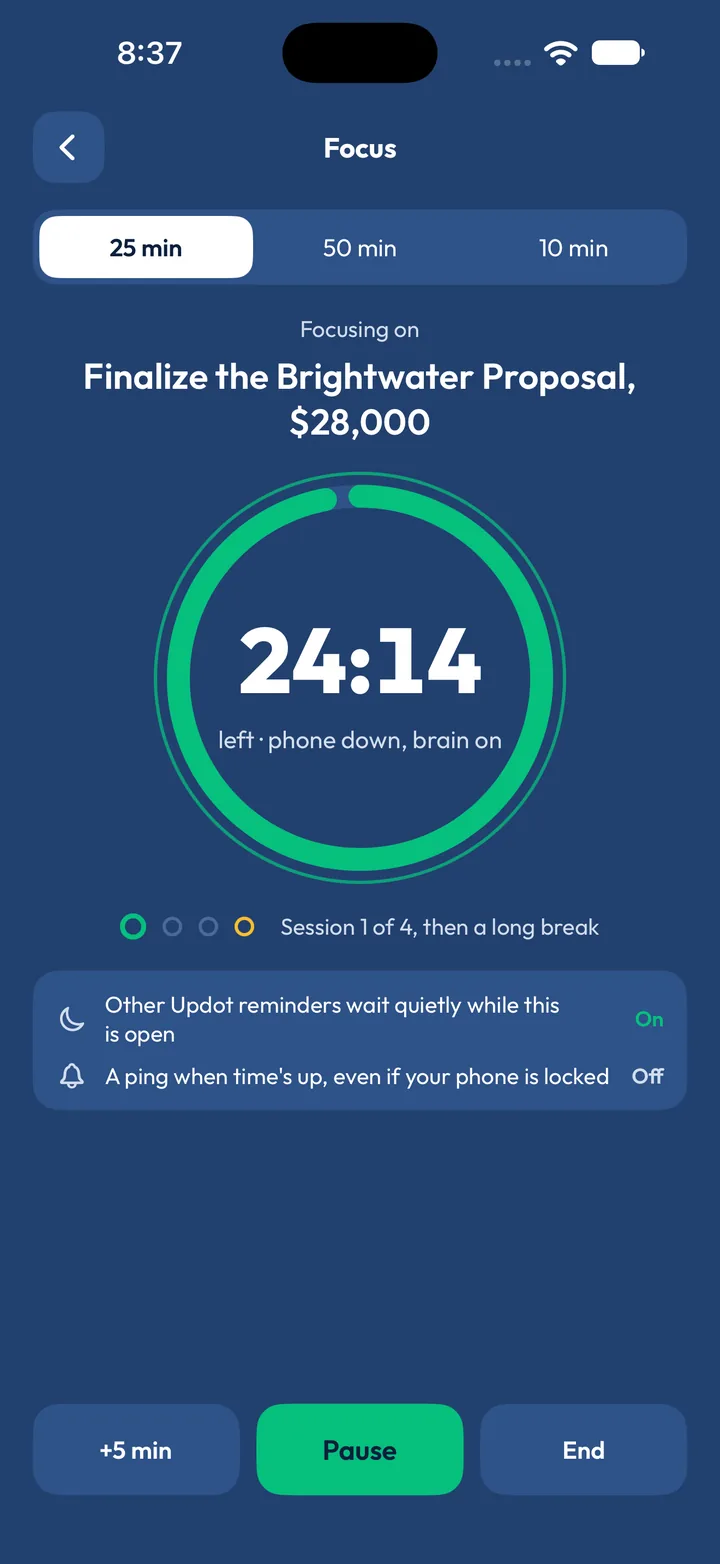
Watch a message become a task.
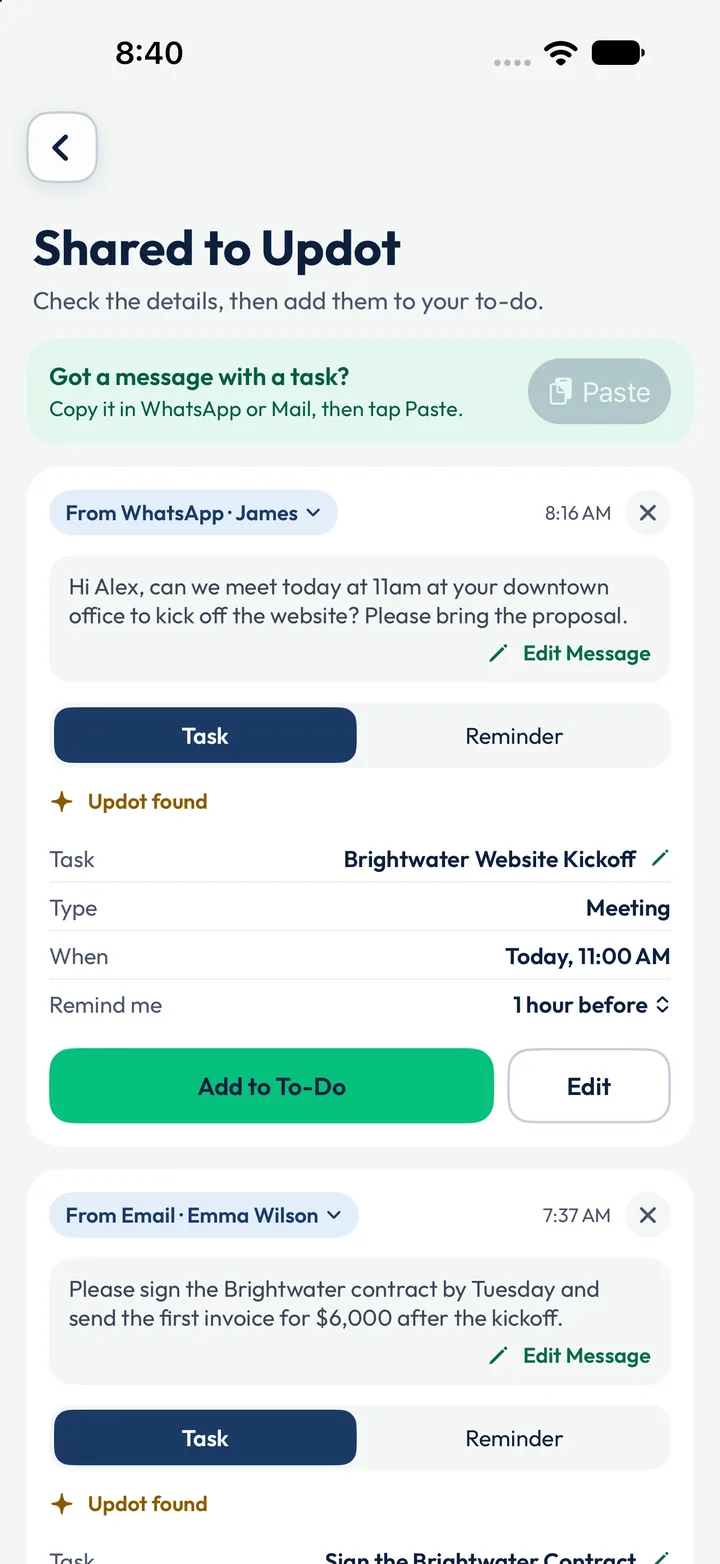
Updot turns a message into a task with the date, time, place and reminder already filled in.
This page shows a simple version. In the app, Apple Intelligence reads every message on your iPhone and learns your style.Paste it, say it or snap it. Updot sorts it.
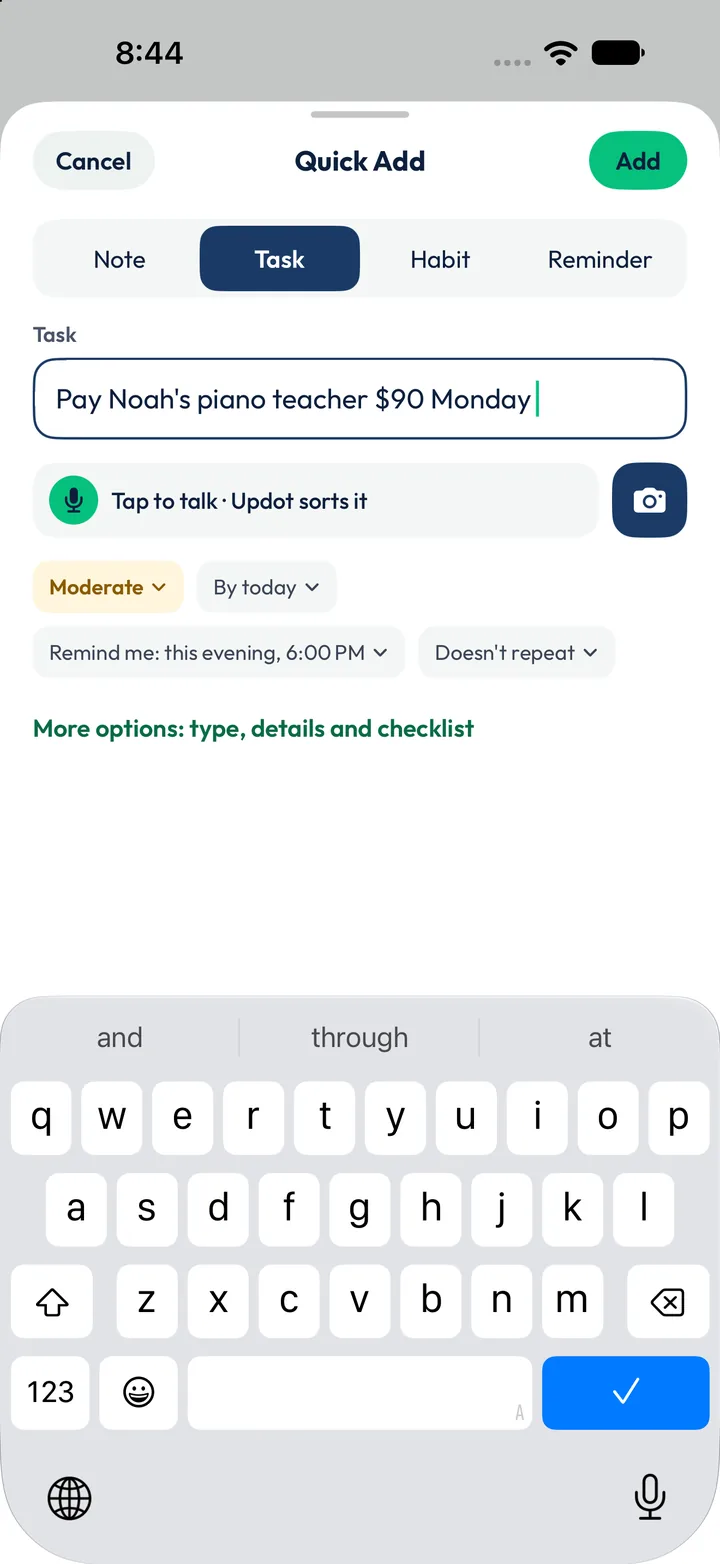
You can add to Updot three ways: share or paste a message, talk for a minute, or take a photo. Updot reads each one on your iPhone and files it as a task, habit, reminder or note.
Paste a message
From WhatsApp, email or any chat. One message with three jobs becomes three tasks, each with its own date.
Say it
Talk for a minute. Updot splits it into tasks, habits, reminders and notes. Fix one word without saying it all again.
Snap a photo
An invitation, a flyer, a whiteboard. Updot reads the text and adds the event, the RSVP and what to bring.
Smart AI. Zero cloud.
Updot reads your messages, voice notes and photos with Apple Intelligence on your iPhone and never uploads them. There's no account to create, no ads, and nothing is sold or shared.
Read our privacy policyLess than one coffee a month.
Updot costs $2.99 a month or $19.99 a year, after a 7-day free trial with every feature. Cancel any time in your iPhone Settings.
Questions about Updot
Short answers about what Updot does, what it costs and how your data stays on your iPhone.
01What is Updot?+
Updot is an AI day planner for iPhone, made by Upspell. It keeps your habits, to-do list, reminders, calendar, notes and focus timer in one app, and turns messages, voice notes and photos into tasks.
02What makes Updot different from other habit trackers and day planners?+
Most people use separate apps for habits, to-dos, reminders, notes and focus. Updot puts them in one app, so they work together. It also turns a WhatsApp message, an email, a voice note or a photo into a task with the date and reminder already set. All of its AI runs on your iPhone, with no account, and Updot uploads nothing.
03What can Updot do?+
Track daily habits and streaks, manage a to-do list with due dates, set repeating and place reminders, show your whole day as a timeline, take notes that find their own to-dos, run focus sessions, tick habits from Apple Health, and show your progress by day, week, month and year.
04How much does Updot cost?+
Updot is $2.99 a month or $19.99 a year in the US, after a 7-day free trial. The App Store shows the price in your local currency.
05Is Updot a habit tracker or a to-do list app?+
Both. Updot combines a habit tracker, a to-do list, reminders, notes and a focus timer, so you don’t need separate apps for each.
06Which iPhones work with Updot?+
Any iPhone with iOS 26 or later. The AI reading of messages, voice and photos uses Apple Intelligence, so that part needs an iPhone that supports it, with Apple Intelligence turned on. On other iPhones, Updot still finds dates, times and places with its built-in rules.
07Do my messages leave my phone?+
No. Updot reads what you paste or photograph on your iPhone, and nothing is sent to Upspell or anyone else. Voice notes are turned into text by Apple’s speech recognition, on your iPhone when it supports it; Updot never receives your voice.
08Does it work with WhatsApp?+
Yes. Copy a message in WhatsApp or WhatsApp Business and paste it into Updot. You can also send a task to someone on WhatsApp.
09How do I cancel?+
Open iPhone Settings, tap your name, then Subscriptions, and choose Updot. Cancel at least a day before your free week ends and you will not be charged.
10Is there an Android version?+
Not yet. Updot is made for iPhone first.
Let’s rise, one dot at a time.
Leave your email and we’ll send you Updot the day it’s on the App Store.
One email on launch day. No spam, unsubscribe any time.